Getting Started with QuantIQ
Welcome to QuantIQ's comprehensive documentation. This guide will help you get started with our trading platform and make the most of all available features.
Quick Start Guide
Follow these steps to get up and running with QuantIQ in just a few minutes:
- Create Your Account - Sign up and choose your plan
- Complete Setup - Verify your email and complete your profile
- Access the Platform - Launch the trading platform from your dashboard
- Configure Your Workspace - Customize charts and layouts
- Start Trading - Begin with our demo mode or live trading
Platform Overview
QuantIQ provides a comprehensive suite of trading tools designed for professional traders:
Real-Time Analytics
Access real-time market data, advanced charting tools, and technical indicators to make informed trading decisions.
AI-Powered Insights
Our machine learning algorithms analyze market patterns and provide intelligent recommendations to optimize your trading strategy.
Risk Management
Built-in risk management tools help you protect your capital with automated stop-losses, position sizing, and portfolio analysis.
Required Accounts & Services
To get started with QuantIQ, you'll need to set up these essential accounts and services:
1️⃣ Apex Account (via Tradovate)
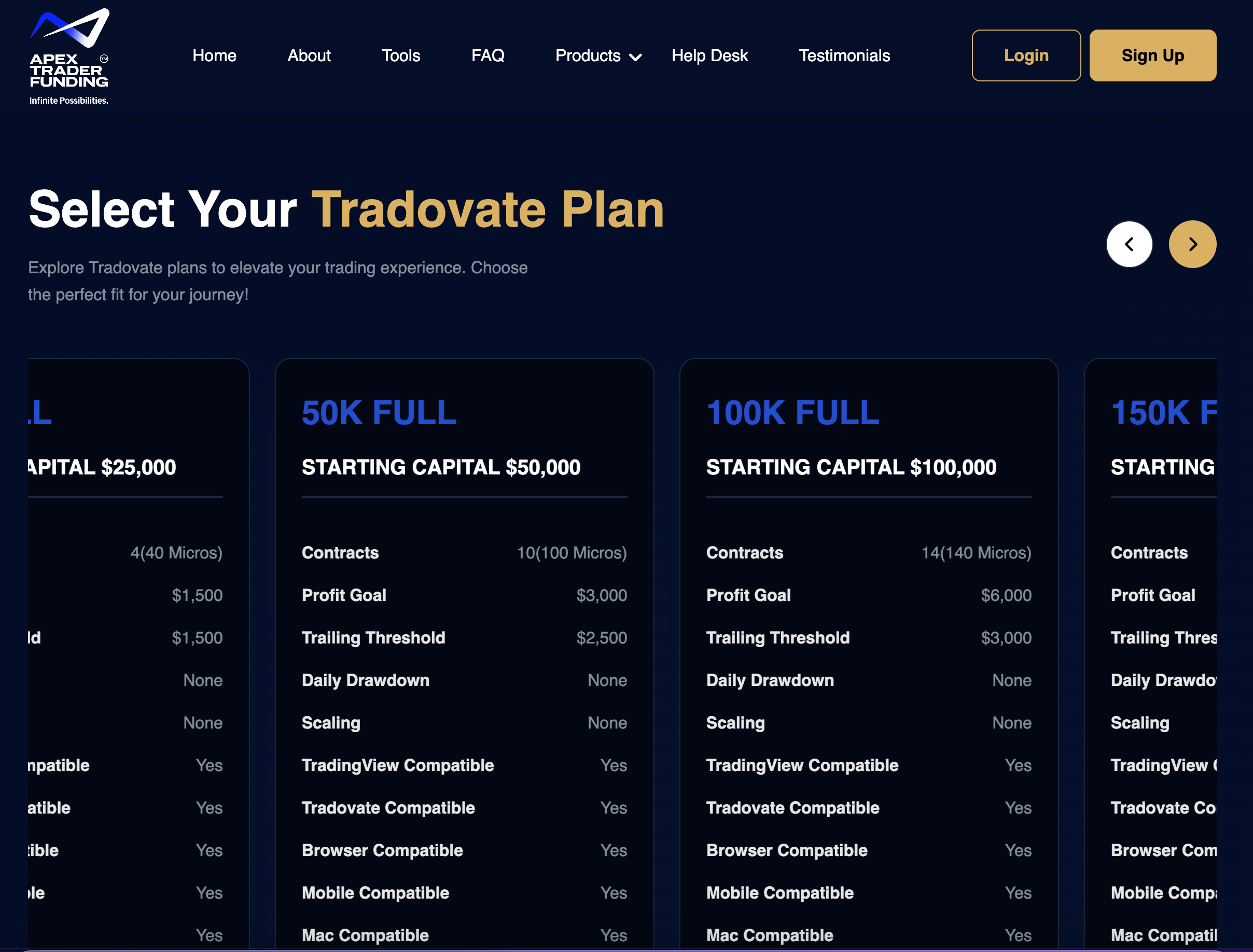
Your trading capital. Apex provides funded and evaluation accounts that let you trade using their money — not yours.
Recommended Account: $50K Tradovate Account
- • Best balance of profit target, drawdown cushion, and scale potential
- • Ideal for consistent day traders and automation users
- • Important: Always check for discount codes — Apex runs sales up to 80% off their evaluations almost every week
- • Choose Tradovate as your platform (not Rithmic) for full QuantIQ compatibility
2️⃣ TradersPost — Starter Plan or Higher
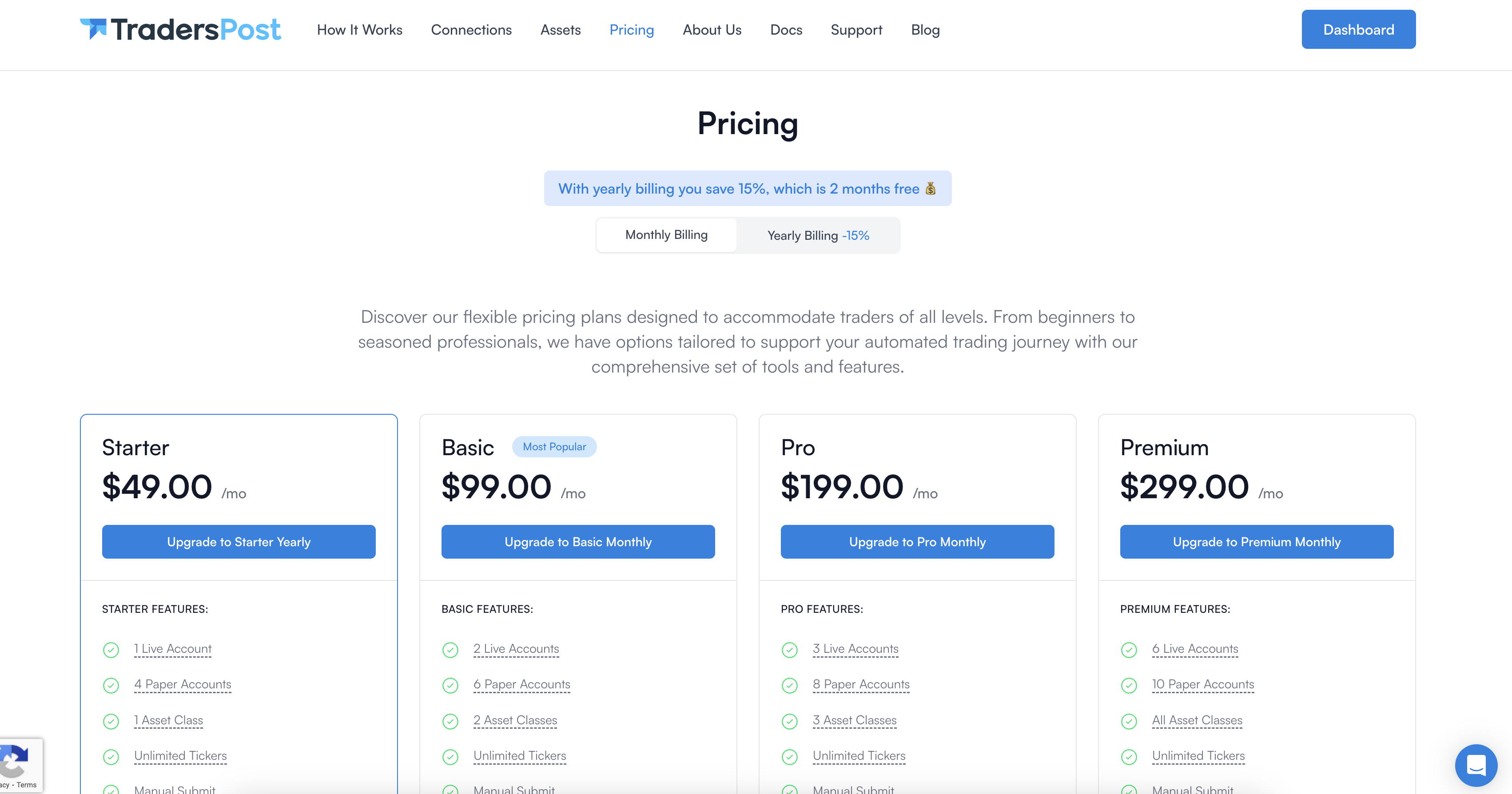
Your automation bridge. TradersPost connects the QuantIQ bot to your broker so trades execute automatically.
Why you need it:
It handles the order routing, position sizing, and trade management directly from QuantIQ's signals.
Recommended Plan: Starter
Includes automated webhooks and trade execution features. TradersPost works seamlessly with both Apex and Tradovate accounts.
3️⃣ TradingView — Essentials Plan or Higher
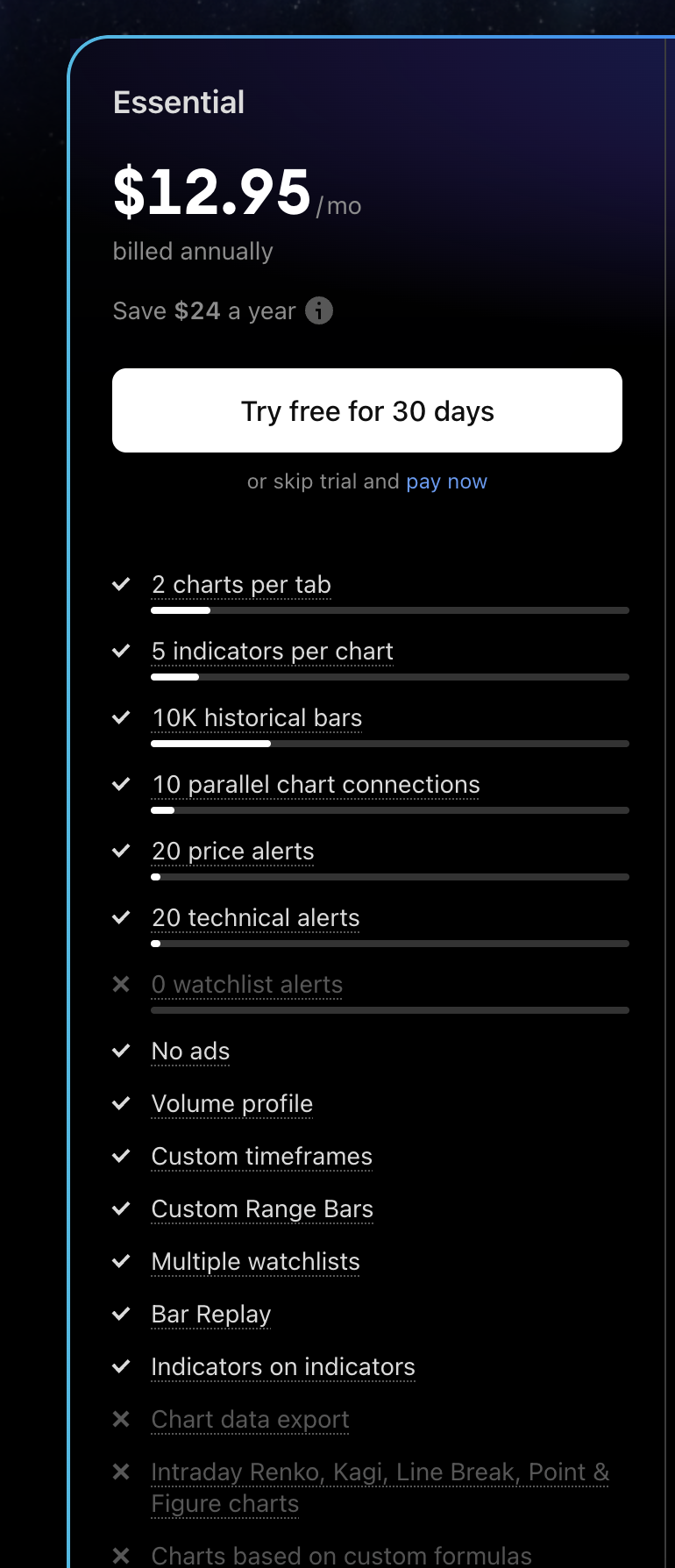
Your charting and signal engine. TradingView is where QuantIQ's proprietary strategy runs and generates the trade alerts.
Why you need it:
It's the visual platform that powers QuantIQ's algorithmic entries and exits.
Recommended Plan: Essentials
This plan unlocks webhook alerts, which are required for automated trading. Higher tiers (Pro+ / Premium) are optional if you want multiple charts or more indicators, but Essentials is all you need to run QuantIQ.
4️⃣ TradeSyncer — Basic Plan or Higher
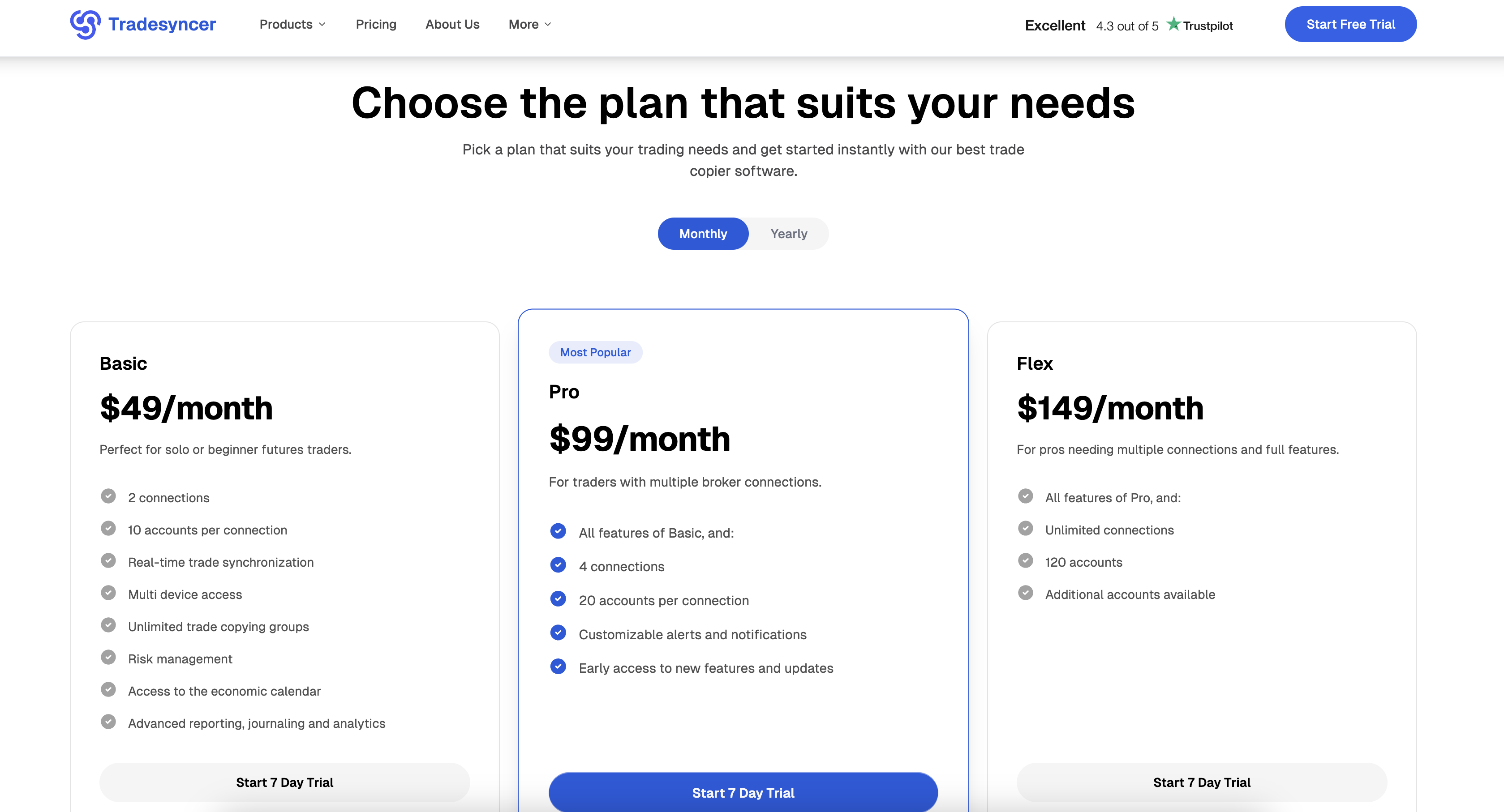
Your trade copier. TradeSyncer automatically mirrors QuantIQ trades across multiple accounts in real time.
Why you need it:
It allows you to scale across multiple funded or personal accounts without extra work.
Recommended Plan:
- • Basic+ for QuantIQ Professional members
- • Pro for QuantIQ Enterprise members
This ensures reliable syncing, trade timing accuracy, and position scaling across every connected account.
QuantIQ Account Types
Professional ($150/month + $1,300 setup)
Perfect for individual traders and small teams. Advanced features including AI insights, custom indicators, and priority support. Capped at 10 accounts.
Enterprise ($399/month + $2,000 setup)
Full-featured platform with unlimited accounts, white-label options, and dedicated support for trading firms.
Next Steps
Ready to dive deeper? Check out our detailed guides: